
Gallery - Photo Gallery, Vault
Gallery - Smart Gallery AppPhotography
4.535.00 Reviews
- Version
- 4.4
- Installs
- 500.00K
- Age Rating
- Everyone
Screenshots

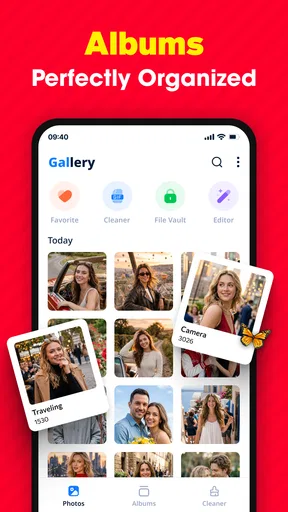
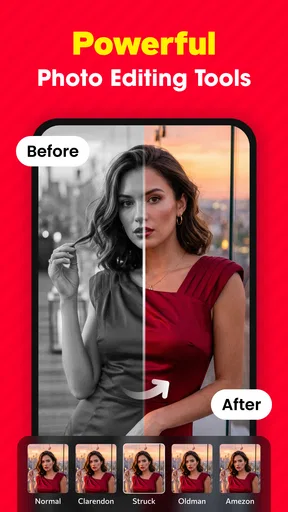
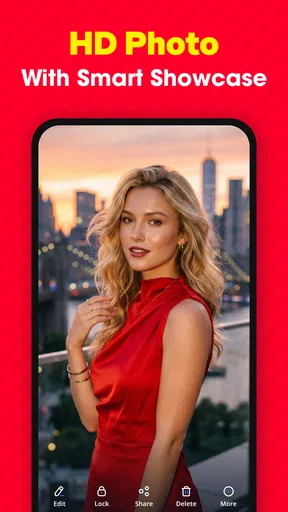

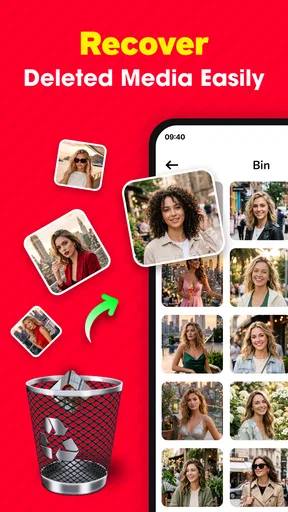

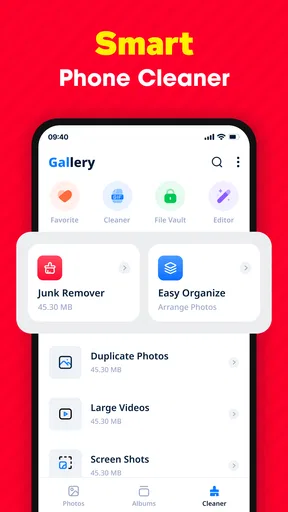
Our Review of Gallery - Photo Gallery, Vault
 Analysis by Appyee
I spent time using Gallery - Photo Gallery, Vault as a practical replacement for the basic photo viewer on my phone, paying particular attention to how it feels when I am moving between networks, working with a large camera roll, or simply trying to find one image quickly. It is a free photography app from Gallery - Smart Gallery App, and its central idea is straightforward: bring everyday browsing, light editing, organization, and a private vault into one place.
That combination makes it more interesting than a plain gallery shortcut. I can open pictures, sort through visual clutter, make small changes, and keep more sensitive images away from the main view. The app is rated for Everyone, so it is approachable for a broad audience, while the current version is 4.4 and requires Android 8.0 or later. Its average rating is 4.5 from around 4,200 ratings, and it has passed 500,000 installs, which suggests that the simple gallery replacement concept has found a substantial audience.
How the gallery fits into everyday phone use
My first impression was that this is most useful when the default gallery has become too passive. The usual preinstalled viewer often shows images in a timeline and leaves the user to manage the mess. Here, the focus is more deliberate: I can treat the phone's picture collection as something to browse, arrange, edit, and protect rather than just scroll through.
The app makes sense for someone who takes many screenshots, saves pictures from conversations, receives work images, or keeps personal photos alongside casual camera shots. A dedicated gallery can reduce the time spent hunting through a mixed stream, especially when the phone's default photo service is built around cloud suggestions, memories, or account-based features that I may not want to use for every image.
It is also a useful option for people who want a private area without installing a separate vault application. That does not make it a complete security solution for every situation, but having a vault next to the normal gallery is convenient. I do not need to switch between unrelated apps whenever I want to review ordinary pictures and then put a more personal image out of sight.
The developer, Gallery - Smart Gallery App, has kept the product's purpose easy to understand. This is not trying to be a professional photo editor or a social platform. Its value is in the combination of small, frequent tasks. I would open it to locate a receipt photo, crop an image before sending it, review screenshots, or move selected pictures into the private area.
What changes when the connection is weak
A gallery is one of those app categories where connectivity should not dominate the experience. When I am on a train, in a basement, or using a congested mobile connection, I still expect to browse pictures already on my device without feeling that the app is waiting for a remote service. That expectation is especially important for a private vault, because the appeal of keeping sensitive images in a separate area is reduced if ordinary access depends on a network.
In practical use, I judge this app less by online extras and more by how calmly it handles local browsing. The interface is most valuable when it gets out of the way: open the app, see the collection, choose an image, and continue with the task. A network-dependent photo service may offer stronger search, automatic backup, or cross-device access, but those benefits can also introduce waiting, account prompts, and uncertainty about where an image is stored.
That is the main trade-off. This app's gallery-and-vault approach feels better suited to immediate phone-based work than to a connected photo library spread across several devices. If I am trying to find a picture that exists only in an online archive, a cloud-first alternative may be more capable. If I am handling images that are already on the handset, a focused gallery can feel quicker and less distracting.
I would not choose it solely because I expect a full online photo-management system. The useful question is whether I want a local-feeling control center for images on my phone. For that purpose, the app's structure is more relevant than any network feature. It keeps the attention on viewing and managing rather than on sharing everything through a larger service.
Using it in real mobile situations
One realistic example is a busy afternoon of errands. I take a picture of a product label, save a screenshot of an appointment, receive a document image, and later want to send only the useful files to someone. A basic camera roll turns those items into a long sequence. With this app, I can approach the collection as a working folder: review the recent images, open the one I need, make a small edit if necessary, and keep private material separate from the images I regularly share.
Another situation is traveling with limited attention. I may be standing outside, holding a phone in one hand, and trying to show a friend a picture taken earlier. A gallery that emphasizes visual access rather than a complicated editing workspace is preferable here. I do not want to enter a large creative suite just to find a photo and make it presentable.
The same applies to family phones. Someone who finds cloud photo platforms confusing may understand a dedicated gallery more quickly. The app's Everyone rating reflects that broad accessibility, although an age rating should never be mistaken for a guarantee that every private image is perfectly protected. Families should still think about device access, screen locks, and who can use the handset.
On the other hand, people who routinely manage images across a phone, tablet, and computer may prefer a service designed around synchronization. The local gallery model is attractive when the phone is the main place where pictures live. It is less compelling when the central requirement is a unified library that follows the user everywhere.
Editing without turning the app into a studio
The editing side is best understood as a convenience layer. I like having basic image adjustments near the viewing experience because many photo tasks are small: remove an unwanted edge, improve framing, or prepare a picture for a message. Opening a separate editor for every minor change adds friction, especially when the original goal was simply to share an image.
This approach also creates a useful boundary. I would not expect the app to replace a serious editor for layered compositions, detailed retouching, or demanding color work. A dedicated creative tool will usually be the better choice for those jobs. The advantage here is speed and proximity: the image is already open, and the next action can be practical rather than elaborate.
One workflow I found sensible is to review first and edit second. Instead of changing every image while browsing, I can identify the few pictures that need attention, then handle them in one short session. That prevents the gallery from becoming an endless editing queue. It also makes it easier to keep an untouched original in mind before making a change, which matters when a picture is needed later for a different purpose.
Another useful habit is to use the gallery for preparation rather than perfection. If I need to send a clear picture of a form or crop a screenshot to remove irrelevant content, a built-in tool is enough. If the image is important for publication, printing, or detailed creative work, I would move to a specialist editor instead of asking this app to do more than it is designed for.
The private vault and the trust question
The private vault is the feature that separates this app from an ordinary replacement gallery. It gives me a dedicated destination for images I do not want visible during normal browsing. This is helpful for personal documents, surprise gifts, private memories, or pictures that I want to keep away from casual scrolling.
The most important practical tip is to decide on a filing rule before moving a large collection. I would not throw everything into the vault simply because it is available. A smaller, intentional set is easier to manage and less likely to create confusion when I need to retrieve something. I would also test the complete move-and-retrieve routine with non-sensitive images first, so I understand the app's behavior before trusting it with irreplaceable material.
A vault improves privacy inside the gallery, but it should be treated as one layer rather than the entire protection strategy. I would still use a strong device lock and avoid lending an unlocked phone to someone I do not trust. If the phone itself is compromised or another person can access the device freely, a gallery vault cannot solve every risk.
There is also a recovery consideration. Before reorganizing valuable images, I would keep an appropriate copy somewhere I trust, because hiding an image and preserving a reliable backup are separate tasks. A private vault can reduce accidental exposure, but it should not become the only place where an important family photo or essential document exists.
What happens when something goes wrong
Photo management is not only about successful browsing. The difficult moment is when an image appears to be missing, a change does not look right, or a user cannot immediately remember where a private picture was placed. This is where a combined gallery and vault demands a little discipline from the user.
My recommended recovery habit is simple: make changes in small batches. Move a handful of images, check that the result is what you expected, and only then continue. That is slower than selecting an entire camera roll at once, but it makes mistakes easier to identify. It also prevents a single misunderstood action from affecting hundreds of pictures.
I would use the same caution with editing. For any image that matters, I would first make sure I know whether the app is changing the existing item or creating another version. If I am uncertain, I would preserve a copy before experimenting. This is not a criticism unique to this app; it is a sensible rule whenever an editor and a file organizer share the same workspace.
Network problems add another layer of uncertainty when a user expects connected services. If a picture is not immediately available, I would first distinguish between an image stored on the device and one that belongs to another online service. A dedicated gallery can organize what it can access locally, but it should not be judged as a complete substitute for a cloud library when the missing image is actually stored elsewhere.
That distinction is valuable because it prevents the wrong troubleshooting approach. Restarting a connection will not fix a filing mistake, and repeatedly searching a gallery will not produce an online-only image that has not been made available to the device. Keeping a clear mental division between local organization, private storage, and connected backup makes the app easier to use responsibly.
Being careful with mobile data and storage
Photography apps can encourage unnecessary activity if every browsing session triggers online loading, sharing, or backup behavior. I prefer to use this app with a data-conscious routine: review and organize when I already have time, avoid repeatedly opening large images while on mobile data, and share only the version I actually need.
That approach is particularly useful for people with limited plans. A gallery should not become an excuse to upload or resend the same image several times. I would prepare a cropped or appropriately sized copy for messaging when the full-resolution original is unnecessary. This keeps the workflow practical and reduces the chance of sending a much larger file than the recipient needs.
Storage also deserves attention. Moving an image into a vault may change how it appears in the normal gallery, but it does not automatically mean that the phone has gained free space. A hidden picture can still occupy storage. If the device is nearly full, the answer is to review large videos, duplicates, and old downloads rather than assuming privacy organization will solve capacity problems.
The app is free to install, with in-app purchases ranging from around four dollars to around twenty-six dollars per item. That makes it easy to try the basic experience before deciding whether any paid option fits my needs. I would make that decision based on a specific benefit I actually use, not simply because a vault or editing feature exists. For light gallery browsing, the free entry point may be enough; heavier users should consider whether the paid additions justify becoming more dependent on this particular organizer.
One of my preferred routines is a monthly cleanup: remove accidental screenshots, group images that belong together, review the vault, and check that important pictures have a separate backup. This turns the app from a passive viewer into a manageable system. It also reduces the number of images that must be searched whenever I need something urgently.
Where it beats the usual alternatives
Compared with a basic phone gallery, this app offers a more intentional workflow because it combines organization, editing, and privacy in one photography tool. The private vault is the clearest advantage for anyone who wants a separate space without adding another app. The built-in editing access is also convenient for quick corrections.
Compared with a cloud-centered photo service, it feels more focused on the handset and on direct control of the gallery experience. A cloud service may be better for automatic backup, cross-device browsing, advanced search, and sharing with a wider group. I would choose that kind of alternative when my photo collection is distributed across devices or when losing the phone would be my main concern.
Compared with a specialist editor, this app is easier for everyday adjustments but less suited to detailed creative work. Compared with a dedicated security app, it is more convenient for photo browsing but may not satisfy someone seeking a broader protected workspace for many file types. The right choice depends on whether pictures are the center of the task or merely one part of a larger privacy system.
There is a subtle trade-off in putting many functions together. Fewer apps can mean less switching, but it also means the gallery becomes more important to the user's routine. If the interface or organization style does not match the way I think about pictures, the convenience can disappear. I would spend a little time testing how quickly I can find, edit, vault, and restore an image before moving my entire collection into it.
Who should install it, and who should pass
I would recommend it to Android users who want a cleaner alternative to a basic gallery, need quick photo edits, and appreciate having a private vault close at hand. It is especially suitable for people whose main photo activity happens on one phone and who prefer a direct, uncluttered workflow over a large connected ecosystem.
It is also a reasonable choice for someone who wants to try a gallery organizer without paying at the start. The free price lowers the risk of testing it with a small group of images first. That trial is worthwhile because the best gallery is highly personal: some users care most about folders, others about a timeline, others about privacy, and others about automatic backup.
I would skip it if my priority were professional editing, guaranteed multi-device synchronization, or a complete backup strategy. In those cases, a specialist editor or a cloud-first photo service would likely be a better foundation. I would also be cautious if I dislike managing files myself, because a vault and an organizer are most effective when I follow a consistent filing and backup routine.
After using it, my view is that the app succeeds by concentrating on the moments when a phone gallery becomes inconvenient: finding a particular picture, making a small correction, separating private images, and keeping visual clutter under control. Its connectivity story is best approached with realistic expectations. I would not select it as a replacement for every online photo service, but I would select it as a practical photo hub for the images I actively keep on my device.
My final recommendation is to try it with a small, non-critical set of photos first. Test the browsing flow, the editing routine, and the vault before committing your full library. If those three parts fit your habits, Gallery - Photo Gallery, Vault can make everyday photo handling feel more organized without forcing you into a larger cloud ecosystem. The app is not the right answer for every photographer, but for straightforward mobile gallery management with an added privacy layer, it is a convincing and approachable option.
Verdict
Strengths of Gallery - Photo Gallery, Vault
- Clean interface makes browsing albums quick and straightforward.
- Vault feature adds a private space for hiding selected photos and videos.
- Supports organizing media into custom albums for easier access.
- Useful search and sorting tools help locate images faster.
- Can reduce clutter in the default gallery by grouping personal media.
Limitations of Gallery - Photo Gallery, Vault
- Some privacy features may require extra permissions to work properly.
- Free version may include advertisements or promotional prompts.
- Recovery options are important because forgotten vault access can block files.
- Advanced editing tools may be limited compared with dedicated photo editors.
- Performance can vary when loading very large photo and video collections.
Similar Picks in This Category
View All
Google Photos
Google LLC4.4

Gallery
Google LLC4.2

Picsart AI Photo Editor, Video
PicsArt, Inc.3.9

B612 AI Photo&Video Editor
SNOW Corporation4.1

BeautyPlus-Selfie Photo Editor
PIXOCIAL TECHNOLOGY (SINGAPORE) PTE. LTD.4.5

Remini - AI Photo Enhancer
Bending Spoons4.1
Frequently Asked Questions
What is Gallery - Photo Gallery, Vault used for?
Gallery - Photo Gallery, Vault is designed to help you browse, organize, and protect photos and videos stored on your device. Besides offering a standard gallery experience with albums and media viewing, the app includes a private vault feature for hiding selected files behind an additional privacy layer. It can be useful for users who want convenient access to personal media while keeping sensitive content away from the main gallery.
How does the private vault protect photos and videos?
The vault normally allows you to move or hide selected photos and videos from the regular gallery view, making them accessible only through the app’s protected area. Depending on the device and app version, access may use a PIN, password, pattern, or biometric authentication. Before relying on it for important files, check the available security settings and confirm that you remember your credentials.
Can I recover my photos if I uninstall the app or lose my phone?
You should not assume that files stored in the vault will automatically be backed up or recovered after uninstalling the application, clearing its data, or changing devices. Some private-gallery apps move media into protected storage rather than synchronizing it online. We recommend creating a separate backup of important photos and reading the app’s recovery instructions before deleting it or performing a factory reset.
Does Gallery - Photo Gallery, Vault require internet access?
Basic gallery functions, such as viewing locally stored photos and videos, generally work without an internet connection. However, internet access may be requested for advertisements, optional cloud features, analytics, updates, or other online services included in the app. Permissions and network behavior can vary by version, so review the privacy information and Android or iOS permission prompts before granting access.
Is Gallery - Photo Gallery, Vault safe to download and use?
The app can be useful for everyday media management, but its safety depends on downloading it from the official Google Play Store or Apple App Store and reviewing the developer information, permissions, and recent user feedback. Avoid modified or unofficial versions, since they may expose private files. Also remember that a vault is not a substitute for encrypted backups and responsible device security.
